Tuesday, 18 October 2016
Game Assets being made
Today I worked on making a simple low poly window based off an image of New York apartments. I also made a grate for the side of roads. The idea was that this would be part of a modelling kit that can be placed around the city to add low level detail to certain areas.

Thursday, 13 October 2016
Asset Image Refs
I've spent this morning gathering some relevant photos of balconies, doors, grates, and windows that are all art deco. I made Trello cards for everyone so that we can have all this research in one place to talk about what we're doing easily.
To keep to the low poly style our group has decided on for the game I selected art deco designs that were simple. The idea is to make assets that we can drag and drop into scenes. A modelling kit if you will. I chose to focus on more art deco elements in this city of different designs because I'm interested in the strong shapes that are made with art deco design. I think art deco as an architectural style would translate very well to low poly modelling. We plan to model in maya, assemble the building in another maya file, and then take it into unity after that is all done.
I'd like to see what other images people have to determine if the images I've selected to model would be fitting for the city. I think it will be fine as long as I keep my choices simple.
I'm thinking ahead excitedly to making unique smaller assets for our setting. Making some plant pots and rubbish bags next to bins would be fun.
To keep to the low poly style our group has decided on for the game I selected art deco designs that were simple. The idea is to make assets that we can drag and drop into scenes. A modelling kit if you will. I chose to focus on more art deco elements in this city of different designs because I'm interested in the strong shapes that are made with art deco design. I think art deco as an architectural style would translate very well to low poly modelling. We plan to model in maya, assemble the building in another maya file, and then take it into unity after that is all done.
I'd like to see what other images people have to determine if the images I've selected to model would be fitting for the city. I think it will be fine as long as I keep my choices simple.
I'm thinking ahead excitedly to making unique smaller assets for our setting. Making some plant pots and rubbish bags next to bins would be fun.
Wednesday, 12 October 2016
Planning for Assets
Had a talk with the group about making assets for our game Neon/Noir. We've made a timetable on trello and put up some cards so that we can write some asset ideas down for what we'd be interested in find ref pictures for to model.
Tuesday, 4 October 2016
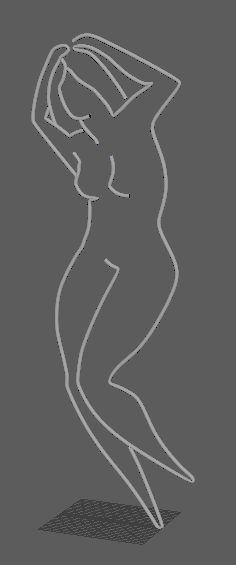
Lady One is Ready!
Wednesday, 21 September 2016
Fresnel Effect
A term I learned today was Fresnel effect. It is when the edges of an object are more reflective.


 This could be useful to understand not only for illustration but also somewhat for puddles. I'm sure there are more uses granted the fresnel effect indicates how smooth or rough the surface of an object is.


Emission Mapping and Other Notes
Today Regan and Lena sat down and taught me about emission mapping with some pretty interesting results.
 Regan left this on my computer:
objects involved with emissive need to be static so that baking works... you need to bake.
emissive map should have an alpha channel, plug in to albedo and emission
standard shader should have transparency options.
BUZZWORDS!!!
PBR - Physically Based Shading (sometimes called Physically Based Shading)
Emission (in the context of unity GI)
In maya I was walked through creation a neon effect by upping the incandescence. The unity equivalent is emmission. From what I can see they work very similarly.
A difference is in Unity a thing called albedo is referred to. Albedo is both the alpha and the diffuse. This means that I can use cutout to have the alpha make work, but also the colour information weill be added through the albedo too.
Lena showed me a really cool thing that involved gridding up photoshop and effectively making an animation on a 3D object in unity.
https://docs.unity3d.com/Manual/StandardShaderMaterialParameterEmission.html This is all very vital information. It's worth reading about other things in here too.
https://www.youtube.com/watch?v=IW19bguFoHg How to create a neon sign in maya. Very similar to what Lena taught.

objects involved with emissive need to be static so that baking works... you need to bake.
emissive map should have an alpha channel, plug in to albedo and emission
standard shader should have transparency options.
BUZZWORDS!!!
PBR - Physically Based Shading (sometimes called Physically Based Shading)
Emission (in the context of unity GI)
In maya I was walked through creation a neon effect by upping the incandescence. The unity equivalent is emmission. From what I can see they work very similarly.
A difference is in Unity a thing called albedo is referred to. Albedo is both the alpha and the diffuse. This means that I can use cutout to have the alpha make work, but also the colour information weill be added through the albedo too.
Lena showed me a really cool thing that involved gridding up photoshop and effectively making an animation on a 3D object in unity.
https://docs.unity3d.com/Manual/StandardShaderMaterialParameterEmission.html This is all very vital information. It's worth reading about other things in here too.
https://www.youtube.com/watch?v=IW19bguFoHg How to create a neon sign in maya. Very similar to what Lena taught.
Subscribe to:
Posts (Atom)